Skip to content
AllYonoPatti

Safety and Privacy

Teen Patti App Permissions: Normal vs Red Flag

Published 31 October 2026 · Updated 31 October 2026

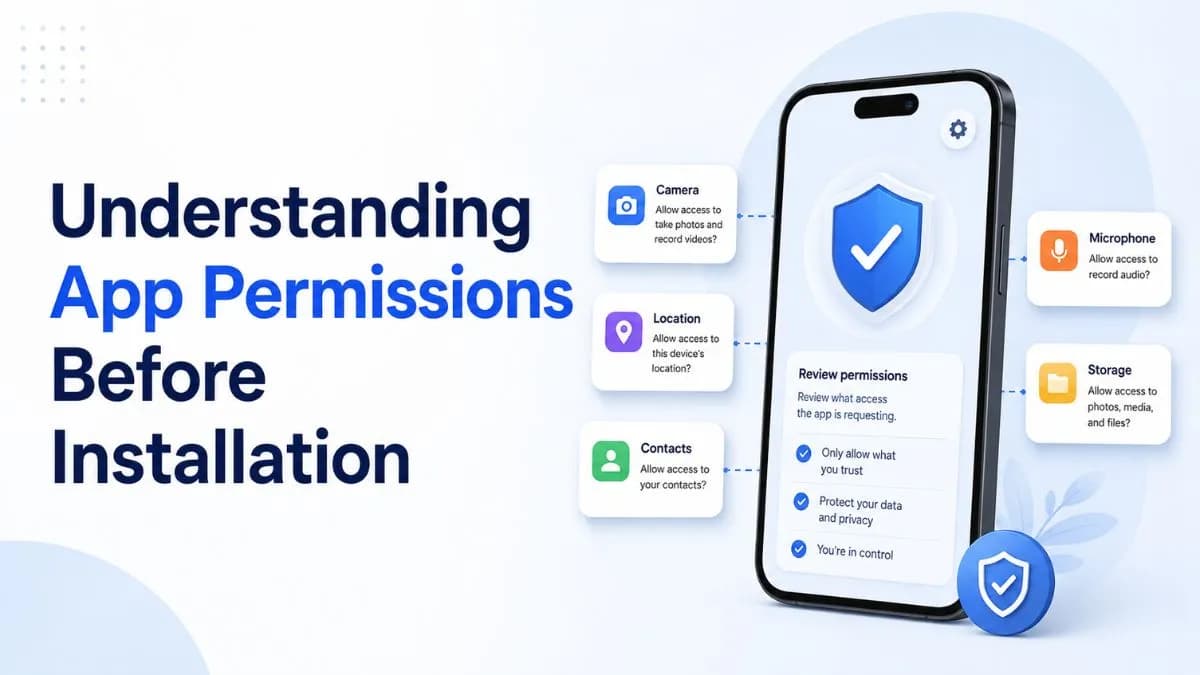
Android permissions list on a smartphone screen beside a Teen Patti app icon

A card game app has a limited, predictable set of permissions it reasonably needs — mainly internet access and storage. Requests for SMS, contacts, or call-log access go well beyond what a Teen Patti app needs to function, and are the clearest red flag in a permission list.

Permissions a Teen Patti app can reasonably need

  • Internet access — essential for any online multiplayer or real-cash game; this one is universal and not a concern.
  • Storage — for caching game assets (card graphics, sounds) locally, reducing repeated downloads.
  • Notifications — for promo alerts, game invites, or session reminders, if the app offers these features.

Permissions worth questioning

  • Camera — only reasonable if the app has a specific documented feature requiring it (e.g., a photo-based KYC upload flow). Without a clear reason shown in the app, this is worth asking why.
  • Microphone — similarly, only reasonable with a specific stated feature (e.g., voice chat during play). No obvious reason otherwise.

Permissions with no legitimate reason for a card game

  • SMS access — a card game has no functional reason to read your text messages. This permission is occasionally seen in lower-quality or malicious apps and is one of the strongest red flags in this category.
  • Contacts access — unless the app has an explicit, opt-in "invite from contacts" feature you're actively using, broad contacts access isn't necessary for gameplay.
  • Call log access — essentially never has a legitimate reason to appear in a card game's permission list.

How to check an app's actual permission list

On Android, you can review an installed app's permissions under Settings > Apps > [app name] > Permissions, without needing any third-party tool. For a file you haven't installed yet, some permission-viewer tools can inspect an APK's manifest before installation — useful if you want to check before you commit to installing.

What to do if you see a red-flag permission

  • Deny it if the OS prompts you individually (modern Android often allows granular permission control even after install).
  • Reconsider the app entirely if a permission with no legitimate use case (SMS, call log) is requested as mandatory rather than optional.

18+ only; protecting your device matters independently of any financial risk from the app itself.

This article is informational only and is not legal or financial advice. This website is an independent directory: it does not operate games, take bets, or process payments. See our editorial policy for how content is researched and updated.

Frequently asked questions

What permissions does a card game legitimately need?
Mainly internet access and local storage. Notifications are reasonable if the app uses them for gameplay-related alerts.
Why would an app want SMS access?
There's no legitimate gameplay reason for a card game to read SMS messages — this is one of the clearest red flags in a permission list.
Can I deny individual permissions after installing an app?
On modern Android, often yes, through Settings > Apps > [app] > Permissions — though some apps may not function correctly without permissions they consider required.
How do I check permissions before installing an app?
Some third-party APK permission-viewer tools can inspect a file's manifest before installation; after installing, Android's own Settings menu shows the full list.
Join our Telegram